
Zone Alarm-Test: schnelle Experten-Zusammenfassung
ZoneAlarm is a decent antivirus with very good security features. I tested out its entire cybersecurity toolkit, and in summary, the malware scanner caught more threats than Microsoft Defender, the advanced firewall worked well and was very customizable, and the web protections blocked every suspicious website and link that I clicked on. Other notable features include good anti-keylogging and ransomware protection.
The antivirus is also very easy to install and use. Its interface is intuitively designed, and I could easily access settings and features on the app, whether I was on PC, Android, or iOS. I especially like ZoneAlarm’s apps because all the features are available on the front of the user interface instead of being hidden behind confusing menus.
While ZoneAlarm is a reliable and beginner-friendly antivirus, it has some drawbacks. Compared to antiviruses like Norton and Bitdefender, it’s missing some vital cybersecurity tools, such as a VPN, a password manager, and parental controls.
That said, ZoneAlarm is a decent antivirus with very affordable prices. It offers a 30-day free trial and a 30-day money-back guarantee, so you can try it out risk-free.
ZoneAlarm Full Review — Reliable Antivirus Program (Covers up to 50 Devices)
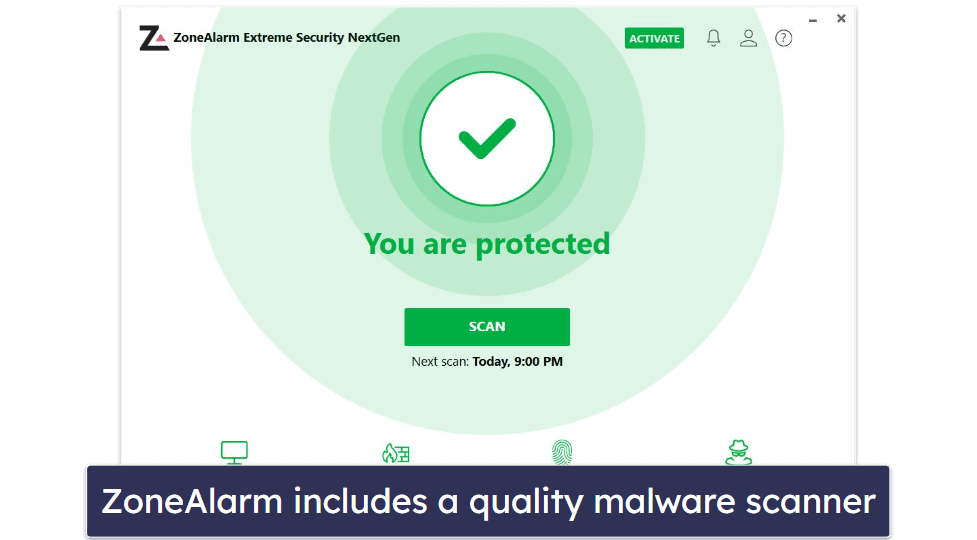
ZoneAlarm is a reliable antivirus that protects against all kinds of malware. It has an easy-to-use malware scanner, a good firewall, real-time protection, anti-phishing protection, and anti-ransomware abilities.
ZoneAlarm offers a good free plan and 2 premium plans. The premium plans are Pro Antivirus + Firewall, which is the more basic package, and Extreme Security NextGen — which is ZoneAlarm’s most comprehensive package.
Extreme Security NextGen has a lot more features than Pro Antivirus + Firewall. Even though it’s the more expensive plan, it offers a much better value. That said, both plans let you cover up to 50 devices — though they start to get pretty pricey if you choose to do so.
ZoneAlarm Plans & Pricing — Good Free Plan + Cheap Multi-Device Coverage
ZoneAlarm has a decent free antivirus plan and 2 paid plans available on 1- or 2-year subscriptions. The price of the paid plans, Pro Antivirus + Firewall and Extreme Security NextGen, depends on the number of devices covered. While subscriptions for a single device are overpriced, protecting multiple devices is more affordable than with many top competitors.
The free plan includes a malware scanner and a handful of tools like Wi-Fi protection and traffic monitoring. I’m impressed that the free plan offers all these features; however, it doesn’t have essential tools like good web protection and real-time cloud security. It’s also only available on Windows PCs.
ZoneAlarm Pro Antivirus + Firewall is okay. Its 1-year plan costs 24,95 $ / Jahr for 1 device and comes with real-time protection, anti-phishing protection, and Safe Browsing, along with the features in the free plan. I don’t like that this paid plan doesn’t offer a ransomware protection feature, and I’m not too impressed that it only covers Windows PCs. In my opinion, it doesn’t provide enough value for your money, but the antivirus engine itself is pretty good.
Costing 34,95 $ / Jahr for 1 device, the Extreme Security NextGen 1-year package is ZoneAlarm’s most comprehensive plan. Besides the features in the previous plans, it includes tools like anti-keylogging capabilities, anti-ransomware protection, and content filtering. But it lacks additional features like a VPN, a password manager, and system optimization.
That said, I like that Extreme Security NextGen covers multiple device types, including Windows PC, Android, and iOS — it’s an excellent choice for multi-device security (though Mac users will need to look elsewhere).
ZoneAlarm’s plans are pretty affordable compared to similar antivirus products from competitors like Norton, Bitdefender, and McAfee, but they’re not nearly as comprehensive. In addition, ZoneAlarm offers a 30-day free trial and a 30-day money-back guarantee for its plans, so you can try them out for yourself risk-free.
Here’s a quick overview of all of ZoneAlarm’s plans:
ZoneAlarm Security Features — Perfect Malware Detection Rates, Advanced Firewall & More
ZoneAlarm’s scanner detected every malware sample I’d hidden on my computer (catching more malware samples than Microsoft Defender). It employs behavioral scanning to detect the newest threats, and its malware database is updated every hour. The scans were fast, too; when I tried it out, I could run a full scan in about 45 minutes — which is about as fast as my top antivirus, Norton.
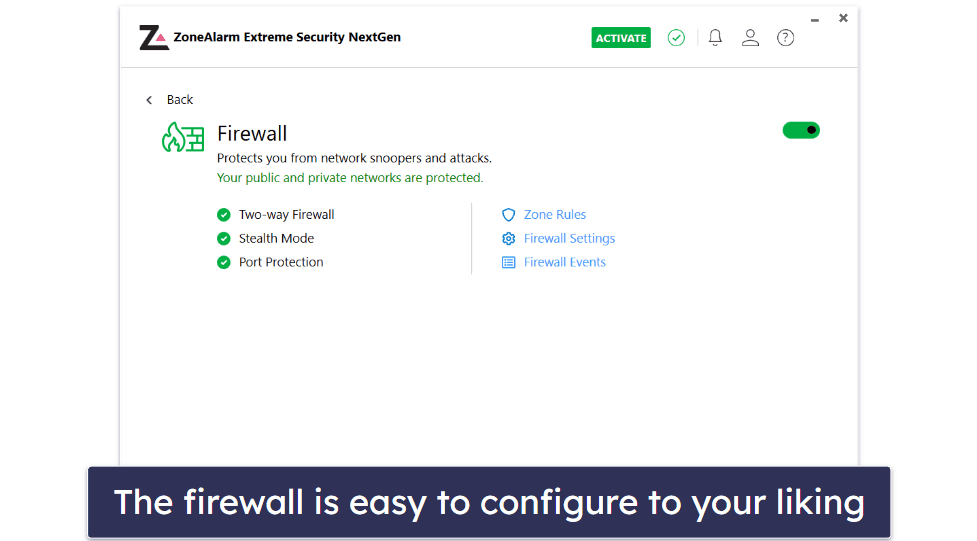
The advanced firewall included in ZoneAlarm is good. It blocks malware and monitors your network to prevent unauthorized access to it. Being a two-way firewall, it also makes your PC invisible to hackers and helps keep you protected against spyware. While better firewalls exist (like Norton’s Smart Firewall), I think it’s one of ZoneAlarm’s better features.
ZoneAlarm provides quality anti-ransomware protection, too. It uses AI technology to block any incoming ransomware attacks, and if ZoneAlarm detects any ransomware files on your computer, it prevents them from encrypting any of your data. In my tests, ZoneAlarm successfully blocked all of my ransomware simulations. I also like that ZoneAlarm’s anti-ransomware can restore any data that a ransomware infection has encrypted.
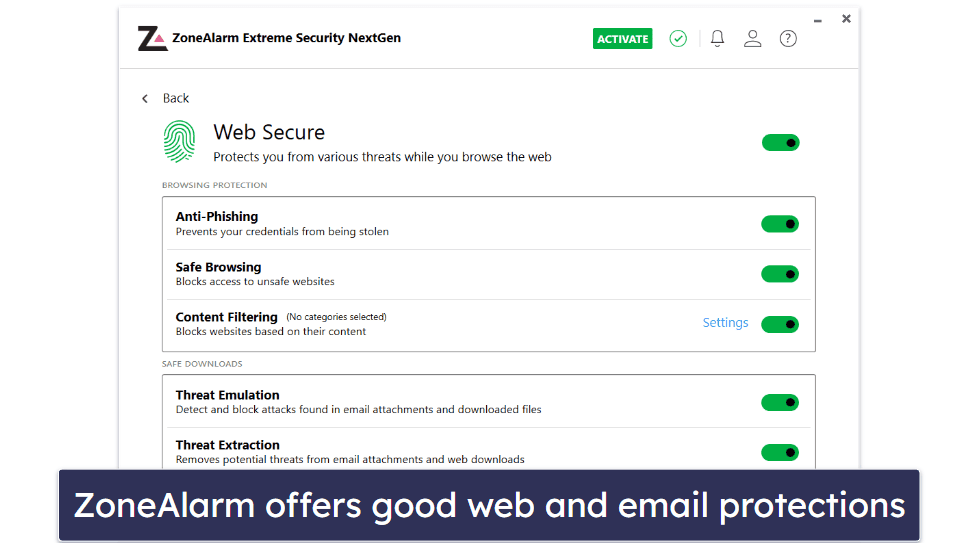
ZoneAlarm’s Web Secure feature gives you excellent web protection. It comes with Safe Browsing, a tool that restricts access to unsafe or suspicious websites. I tested it by visiting several known phishing sites, and ZoneAlarm immediately blocked my access to every website.
Another useful security feature is Threat Emulation, which examines suspicious files in a sandbox environment. I like this feature because it can protect you from zero-day threats in files you don’t recognize. ZoneAlarm also uses the files you examine in it to update its cloud database with new signatures.
Anti-keylogger is a powerful security feature that worked great in my tests. It prevents identity thieves from monitoring or recording your keystrokes and stealing personal information like passwords and banking details. I tried it out by running some keylogger tests, and it consistently blocked every keylogging attempt.
While ZoneAlarm has many good features, it’s missing some essential tools. Unlike some top competitors (Norton and Bitdefender, for example), ZoneAlarm is missing a VPN, parental controls, and a password manager. Considering that it has affordable plans with well-functioning security features, it isn’t a dealbreaker, but including these extras would go a long way in making ZoneAlarm’s offering more comprehensive.
ZoneAlarm Ease of Use & Setup — Quick Setup, Intuitive User Interface & Good Mobile Apps
I found ZoneAlarm effortless to set up and use. Downloading and installing the Extreme Security NextGen Windows app was completely hassle-free. Once I had installed it, I could use it immediately.
I like the way ZoneAlarm neatly sorts all its features into 4 main categories:
- Antivirus. Contains features like real-time protection and file reputation.
- Two-way firewall. With Stealth mode, which makes you invisible to hackers.
- Web Secure. Includes features like anti-phishing, threat emulation, and safe browsing.
- Hacking Protection. With anti-ransomware and anti-keylogger capabilities.
I also like that ZoneAlarm doesn’t hide categories in any sub-menus, and you can access everything from the front of the UI. When I first installed ZoneAlarm, all the protections were turned on by default — but it was straightforward to turn them off. The UI also has some nice quality-of-life features, like an accessible Back button and an easy-to-find Settings page.
Finally, I found it very convenient that ZoneAlarm offers Gaming Mode, which temporarily suspends antivirus software activities such as security alerts, virus definition updates, and automatic scans while you’re gaming. It’s a nice addition, but it just doesn’t compare to our top-rated antiviruses for gaming. These not only suspend notifications but also provide game boosters that can make your PC run faster.
ZoneAlarm’s mobile apps are also very intuitive, and I found the interfaces a breeze to navigate. The Android app has features like Safe Browsing and a network vulnerability checker alongside the malware scanner.
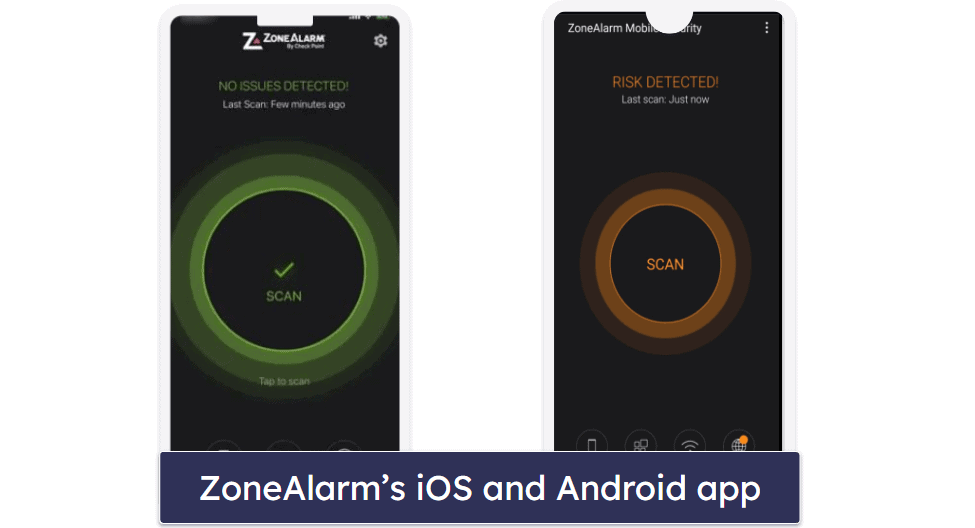
Meanwhile, the iOS app offers features that focus on web protection, like advanced Safari protection and content filtering. In addition, both apps use VPN protocols to block malicious sites. While they won’t mask your geographical location like a standard VPN, these VPN protocols are used by ZoneAlarm to monitor your browser traffic, and they work well.
ZoneAlarm Customer Support — Above & Beyond Staff + Instructive Knowledge Base
ZoneAlarm offers 3 support channels: live chat, a forum, and email support. Live chat is available 24 hours from Monday to Friday and from 8 am to 5 pm PST on weekends. Both live chat and email support are included with all of ZoneAlarm’s plans and are accessible in English, French, German, Spanish, and Italian.
I evaluated the response times of both the live chat and the email support. The customer service representative on the live chat answered in mere seconds, whereas the email support agent got back to me in around 30 minutes, which is quite impressive. They were not only quick in their responses, but they also provided thorough and clear answers to all my queries.
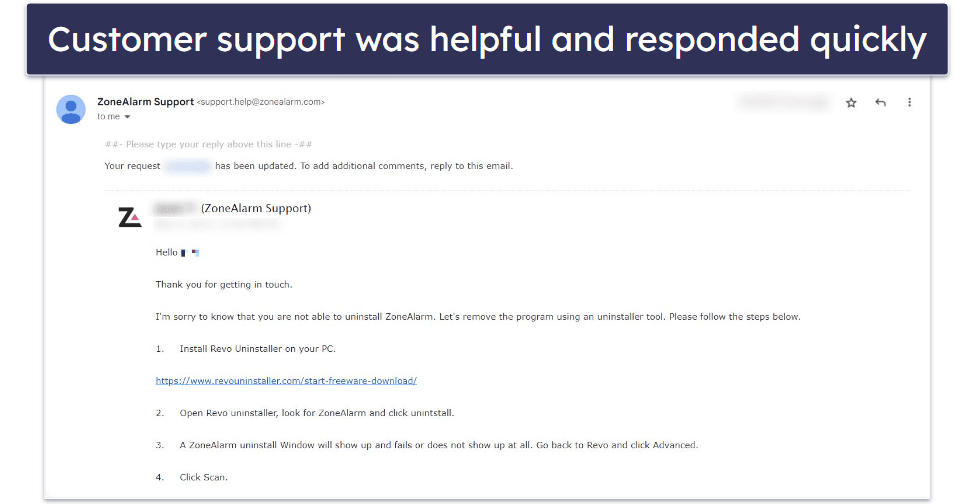
The support staff went above and beyond, offering extra help and ensuring all my queries were resolved. I also received email transcripts of my live chats with ZoneAlarm, which was useful for future reference.
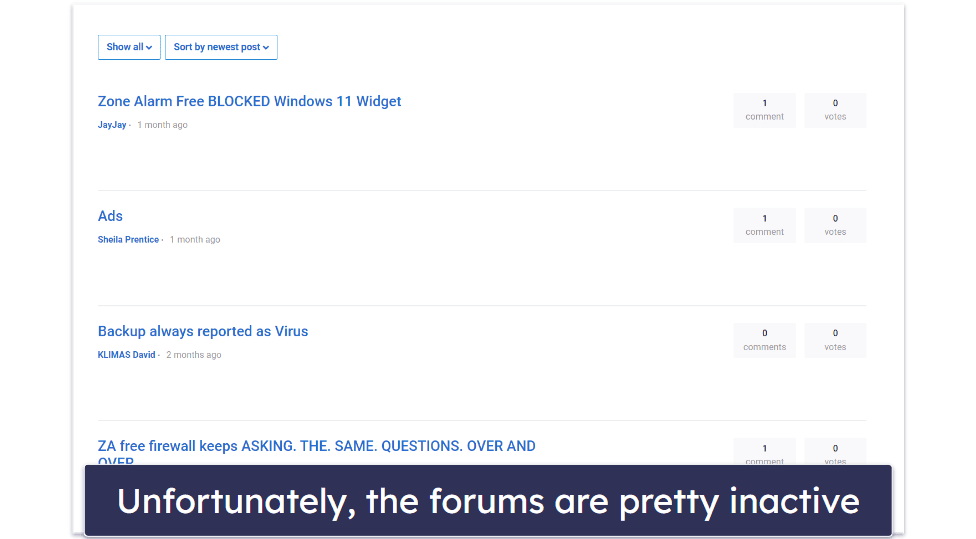
ZoneAlarm also has a community forum. You can share your opinions with other users, ask questions, and answer other users’ queries. That said, the forums aren’t particularly active — I had a better time communicating with ZoneAlarm’s customer support.
Apart from support channels, ZoneAlarm has online resources that I found instructive. For instance, there’s a comprehensive knowledge base with numerous articles sorted into various categories: installation guides, troubleshooting guides, purchase and subscription articles, and more. I could effortlessly browse these categories by product, narrowing down my search and making it easy to find what I was looking for.
After using ZoneAlarm, I tested its refund policy by emailing a refund request. ZoneAlarm approved my request within an hour, and I got my money back after a few business days with no questions asked.
How Good Is ZoneAlarm in 2026?
Overall, ZoneAlarm is a good product, but it has some notable flaws. It uses a strong antivirus engine that consistently blocked malware during my tests, and it has a pretty reliable firewall, but it’s missing a lot of extra features, and while its mobile plans are good, there are much better antiviruses for Android and iOS on the market.
ZoneAlarm is compatible with most devices, but I would like to see compatibility with macOS as well. Even its most comprehensive plan, Extreme Security NextGen, is only available on Windows, Android, and iOS.
I’d also like to see extra features like a VPN, password manager, and parental controls. While ZoneAlarm Mobile Security uses VPN protocols, it doesn’t offer a full VPN. The protocols can hide your browsing from hackers, but they can’t change your geographical location (which a standard VPN can).
I found ZoneAlarm very intuitive. I was able to navigate the interface easily without needing clarification. I could access all the features quickly and had no trouble adjusting the settings to suit my needs. In addition, customer support was very responsive and helpful.
Compared to top antivirus products, ZoneAlarm needs some improvement, especially in terms of extra features. However, although ZoneAlarm offers fewer features than most antivirus products, it still has essential tools like ransomware and anti-phishing protection, and they work well. It’s also affordable and it doesn’t overcharge for its features.
Frequently Asked Questions
Is ZoneAlarm a good antivirus?
Yes, ZoneAlarm is a good antivirus, though it’s light on extra features. It has a powerful next-gen antivirus engine that uses machine learning technology to protect your device from viruses and zero-day threats. In addition, ZoneAlarm did well in all the tests I carried out on it, and it has excellent security features such as anti-ransomware and anti-phishing.
But it’s missing a VPN, which most top competitors include, and its mobile packages aren’t the best around — plus most of its packages are PC-only. I’d still recommend it as an affordable and reliable antivirus, but I wish it offered a little more.
Is ZoneAlarm a good firewall?
Yes — in fact, it’s one of my favorite free firewalls. When I tested it out, it worked great, controlling and monitoring my network traffic flow to prevent unauthorized access and intrusions. It also makes your devices invisible to hackers and stops spyware from leaking your data online.
ZoneAlarm has 2 standalone firewall products — a free version and a paid version. The paid version includes anti-phishing protection, safe document downloads, expert rules, and more. That said, ZoneAlarm’s other products (Pro Antivirus + Firewall and Extreme Security NextGen) also have an advanced firewall.
Does ZoneAlarm slow down computers?
Yes, ZoneAlarm can slow down your PC. I have a “potato” laptop, and I noticed some slowdown during scans, though it wasn’t too bad. While it won’t be as easy on your system as a cloud-based antivirus, it’s certainly better than many antiviruses I’ve tested.
However, if you are getting slowdowns, it could be due to other factors. For example, a possible conflict between ZoneAlarm and another security program, such as a VPN or another antivirus software, can affect your device’s performance. In addition, your system configuration can cause internet speeds to slow down while ZoneAlarm is running.
Does ZoneAlarm have a VPN?
No, ZoneAlarm doesn’t have a VPN. If you need a good VPN with your antivirus, I’d recommend TotalAV or McAfee.
Though it doesn’t have a VPN, ZoneAlarm’s Android and iOS apps integrate VPN protocols into their security systems to protect you from harmful websites and phishing attacks. And while ZoneAlarm lacks a VPN, it has other essential security features like a two-way advanced firewall, plus real-time protection, threat emulation, anti-keylogger, and content filtering.